Features
Pattern encryption: how drawing a shape protects your files
You draw a pattern with your finger, and Vely turns it into a key using Argon2id, a deliberately slow function. No password field, no short PIN.
- Pattern
- Encryption
- Unlocking
Vely doesn't ask for a password or a PIN. You open your vault by drawing a pattern across a 5 × 5 grid of dots, and that pattern is what Vely turns into a key. Vely is coming soon to the App Store.
When you draw your pattern, Vely turns it into a key using Argon2id, a deliberately slow function, combined with a secret that is kept in this iPhone's Keychain and never leaves it. The pattern itself is not saved anywhere, and it only works on this iPhone. You can open your vault with your pattern, your recovery phrase, or Face ID if you have turned it on.
What is pattern encryption?
The usual way to lock something on a phone is a PIN or a password. You type four digits, and your photos appear. That sounds secure enough, but it's worth counting what someone would have to try.
A four-digit PIN has exactly 10,000 possible combinations. Six digits give 1,000,000. A password of eight lowercase letters gives 26⁸, about 209 billion. How long it takes to try them all depends on how long each try takes, and that is up to the app.
Pattern encryption takes a different approach. Instead of typing characters into a box, you draw a path across a grid of dots. Which dots you touch, and the order you touch them in, is your pattern. Vely doesn't just compare it with something on file: it turns your pattern into the key that unwraps your vault, as Step 2 shows.
Counting the possibilities
Here is the same arithmetic for PINs, a password and Vely's patterns, if every try took the half second a try takes on an iPhone in Vely:
| What you'd have to guess | Possible combinations | Every one at ½ second a try |
|---|---|---|
| 4-digit PIN | 10,000 | about 83 minutes |
| 6-digit PIN | 1,000,000 | about 6 days |
| 6-dot Vely pattern | 19,174,112 | about 111 days |
| 8-dot Vely pattern | 3,428,210,784 | about 54 years |
| 8 random lowercase letters | 208,827,064,576 | about 3,300 years |
Two things this table doesn't show. Someone with dedicated hardware can try much faster than an iPhone, and people don't choose PINs, passwords or patterns at random, so real ones fall much sooner. A pattern also isn't magic: a random eight-letter password has more combinations than an 8-dot pattern. What a pattern gives you is billions of combinations in something you can draw in a second, with every try paying for Argon2id. The numbers behind it has the approved figures.
Why the difference matters
A lock can work in two ways. It can check what you entered and then show files that were readable all along. Or it can turn what you entered into the key the files need, so without the right one there's nothing to show. Vely works the second way.
Key difference
Here is what sits behind Vely's pattern:
Everything you add — documents, photos, videos, notes, scans, and the names of your files and folders — is encrypted on this iPhone before it is saved. Each file gets its own random 256-bit key and is encrypted with AES-256-GCM, using Apple's CryptoKit. Names, folders and notes are kept in a database encrypted with SQLCipher.
How it works, step by step
Here is what happens from the moment your finger touches the grid to the moment your vault locks again.
Step 1: You draw your pattern
When you set up Vely, the Draw a pattern screen shows a grid of 5 rows and 5 columns of dots. Its instruction reads "Connect at least 6 dots. You'll draw it to open your vault." Drag your finger from dot to dot without lifting it. The order you visit the dots in is part of the pattern.
If you join fewer than 6 dots, Vely shows "Use at least 6 dots". When you lift your finger, Vely rates the pattern: fewer than 8 dots shows "Easy to guess. 8 or more dots is safer.", and 8 or more shows "Good pattern". Tap Continue, then draw the same pattern again on Draw it again to confirm it.
Vely's grid has 25 dots, which leaves room for long paths with many turns. How hard your pattern is to guess still depends on the path you choose: a letter or a simple shape is easy to guess on any grid.
Step 2: Your pattern becomes a key
When you draw your pattern, Vely turns it into a key using Argon2id, a deliberately slow function, combined with a secret that is kept in this iPhone's Keychain and never leaves it.
In more detail:
Vely runs your pattern through Argon2id with a salt kept in this iPhone's Keychain, using 256 MiB of memory, set so that one try takes about half a second on an iPhone. The result is combined with a separate 32-byte secret, also kept in this iPhone's Keychain, to make your pattern key. The pattern key is never stored. It unwraps your vault's master key, a random key made when you create the vault.
Your master key is never used to encrypt files directly. Two keys are derived from it: one opens the database that holds names, folders and notes, and the other wraps the random key that each file and thumbnail gets of its own. Your recovery phrase and Face ID each have their own key that unwraps the same master key, so changing your pattern doesn't re-encrypt your files.
Your pattern only works on this iPhone, so a new iPhone gets a new pattern:
To restore on a new iPhone, you need the same Apple Account and your recovery phrase, and then you draw a new pattern.
Step 3: Your files are encrypted
Your files were encrypted when you added them, each with its own key. Every item's details show where it's stored:
Encrypted with AES-256-GCM on this iPhone
AES-256-GCM checks each file as it's opened: if its encrypted data has been changed, it won't open.
Step 4: Leave, and it locks
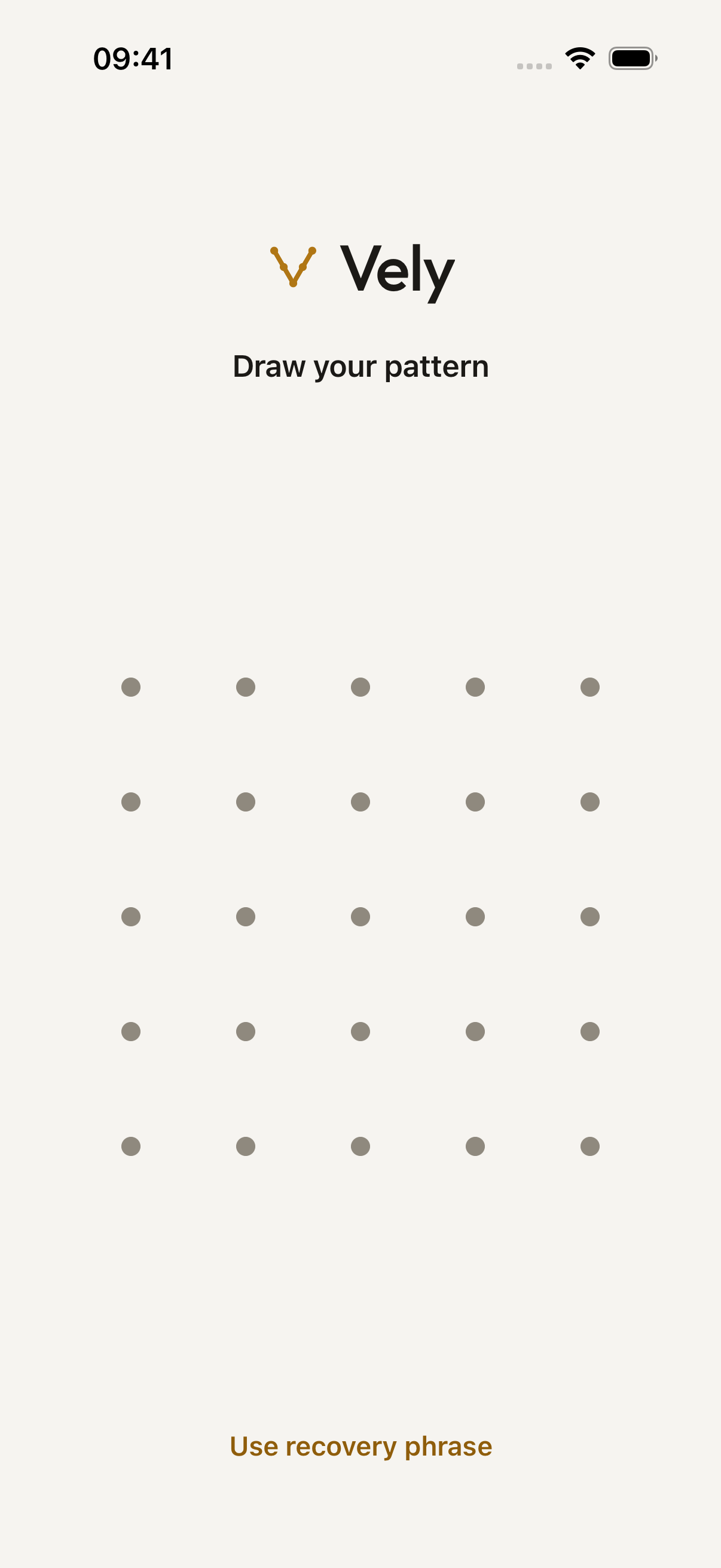
You draw your pattern each time you come back:
Vely locks your vault as soon as you leave the app, hides its contents in the app switcher, and blurs the screen during screen recording or mirroring. A backup that's in progress can keep uploading already-encrypted data for a while.
The numbers behind it
Three numbers decide how long guessing takes: how many patterns there are, how long each try takes, and how the pattern was chosen.
- 19.2 millionPossible 6-dot patterns
- 3.4 billionPossible 8-dot patterns
- ½ secondPer try on an iPhone
- 2¹²⁸Possible recovery phrases
Patterns and guessing time
There are 19,174,112 possible 6-dot patterns on Vely's grid, and 3,428,210,784 possible 8-dot patterns. At about half a second a try, an iPhone would take about 111 days to try every 6-dot pattern, and about 54 years to try every 8-dot pattern. Someone with dedicated hardware can try much faster, and people don't choose patterns at random, so a real pattern can fall much sooner.
Going from 6 dots to 8 multiplies the number of possible patterns by about 179 (3,428,210,784 ÷ 19,174,112). That's why Vely suggests 8 or more. Every try costs the same half second, so the number of patterns someone must work through is the part you control.
Keys and the recovery phrase
Your recovery phrase is 12 words from a list of 2,048. Its last 4 bits are a checksum, which leaves 2¹²⁸ possible phrases, far too many to guess, so the phrase needs no slow function. Each file's key is 256 bits long: there are 2²⁵⁶ possible keys.
Twelve words from 2,048 make 2,048¹² = 2¹³² combinations. The checksum takes away 4 bits, leaving 2¹²⁸, about 3.4 × 10³⁸. No pattern comes close to that, which is why the pattern goes through Argon2id and the phrase doesn't.
What an attack would have to overcome
Here are the main ways someone might try to get into your vault, and where Vely's protection ends.
Brute force: trying every pattern
On your iPhone's own screen, wrong patterns make the next try wait:
After several wrong patterns, you have to wait before trying again, up to 15 minutes. This slows down someone guessing on your screen. It is a deterrent, not an encryption feature, and it doesn't stop someone who has copied your iPhone's storage.
Away from the screen, every try still costs a full Argon2id run. Patterns and guessing time shows how long trying every pattern would take, and why 8 or more dots matters.
Device seizure: taking your iPhone
What someone can do depends on whether your vault is open and whether they can get past your iPhone's passcode:
- Someone who has your iPhone while your vault is open.
- Someone who knows or gets past your iPhone's passcode and copies its storage. They could try to guess your pattern on their own computers, without the waits. A longer, less predictable pattern makes this much harder.
- Malicious software, a jailbroken iPhone, or someone with full control of your unlocked iPhone.
Smudge attacks: reading your screen
The marks your finger leaves on the screen can show the path you draw. Vely can't hide them. Wiping your screen now and then makes them harder to read.
Shoulder surfing: watching you draw
- Someone who knows your pattern or watches you draw it. You can hide the pattern trail in Settings.
- Screenshots or photos of your screen.
Vely draws a line along your pattern as you go. To stop it showing, turn on Hide pattern trail in Settings.
Choosing a strong pattern
The pattern is yours to choose. Here is how to make it hard to guess and easy to remember.
What makes a pattern strong
- Use more dots. Follow Vely's hint and connect 8 or more.
- Change direction several times. A path that turns often is harder to guess than a line or a curve.
- Use the whole grid. A pattern packed into one corner or along one edge leaves most of the grid unused.
What to avoid
- The minimum. Vely accepts 6 dots, but that's when it shows "Easy to guess. 8 or more dots is safer."
- Letters and simple shapes. An L, a Z, a square or a straight diagonal is one of the first things someone would try.
- Starting in a corner out of habit. Start anywhere.
The sweet spot
Aim for 8 or more dots with several changes of direction, in a path you can draw without thinking. You draw it every time you open your vault, so your hand learns it, the way it learns a signature. Practise it a few times when you set it up.
Change your pattern
In Settings, tap Change Pattern and follow the steps. When it's done, Vely confirms:
Use your new pattern from now on. Your old pattern no longer opens your vault.
Why it adds up
Your pattern is turned into a key on this iPhone, and Vely has no account or server of its own:
There is no sign-up and no Vely server. The app connects to the internet only for purchases, through Apple's App Store and our payments provider, RevenueCat, and for iCloud backup if you turn it on. Apple and RevenueCat see your purchase, never your files.
You draw a shape. Vely turns it into a key. Read How your data is protected for the whole picture, including what could still be seen by someone with access to your iPhone's storage.
Frequently asked questions
What happens if I forget my pattern?
On the unlock screen, tap Use recovery phrase, enter your 12 words, and draw a new pattern.
Your 12-word recovery phrase opens your vault if you forget your pattern, and you need it to restore your iCloud backup on a new iPhone. We show it once and never store it, so we can't show it to you again. Keep it somewhere safe and offline.
If you lose both your pattern and your recovery phrase, we can't help you open your vault. We don't have your keys.
Is my pattern stored on my iPhone?
The pattern itself is not saved anywhere, and it only works on this iPhone.
Can I use Face ID instead?
Yes, if you turn it on. It doesn't replace your pattern:
Face ID is off unless you turn it on. When it's on, Vely keeps a separate key in this iPhone's Keychain that only Face ID can release. If a face is added or changed, or your iPhone passcode is turned off, Face ID unlock stops working. Your pattern and recovery phrase still work, and you can turn Face ID on again. Face ID can't restore a backup on another iPhone.
What encryption does Vely use?
Each file gets its own random 256-bit key and is encrypted with AES-256-GCM, using Apple's CryptoKit. Names, folders and notes are kept in a database encrypted with SQLCipher.
Can someone record my screen while I draw?
Vely blurs the screen during screen recording or mirroring, but it can't stop a screenshot or a camera:
- Screenshots or photos of your screen.